TextExpander + Keyboard4.6.5
Publisher Description


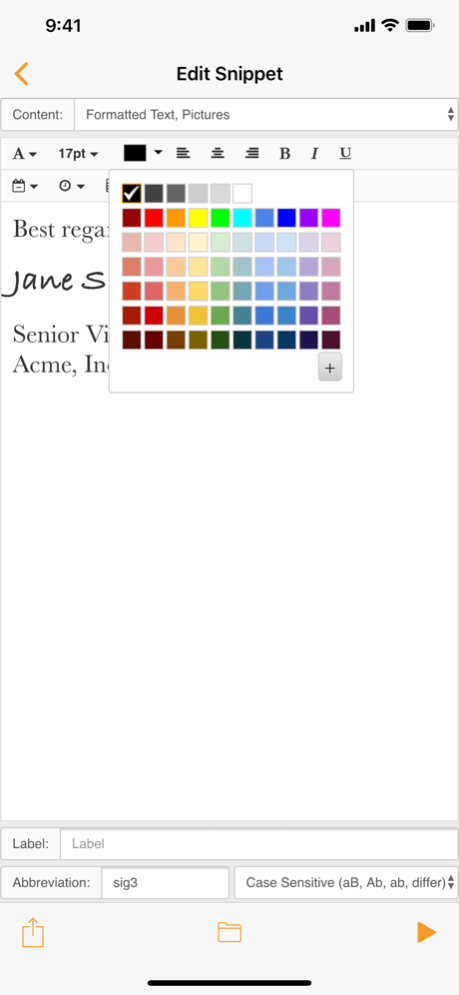

Type faster on your iPhone®, iPad®, or iPod touch® in any App using the TextExpander keyboard. The keyboard enables custom abbreviations to expand into long “snippets” of text, such as addresses, URLs, email signatures, and form letters.
** Requires a TextExpander account ** Keeps your snippets current on all your devices ** Sharing options let you share the wealth of knowledge stored in your snippets with your circle **
How does TextExpander work? Make an abbreviation “eemail” and have it expand into “email@email.com.” You can even insert today's date automatically with the default abbreviation “ddate”!
Use all your TextExpander snippets in Mail, Safari, everywhere, using the custom keyboard.
Use TextExpander snippets with any keyboard in over 70 apps with integrated support, including Byword, Dispatch, Drafts, Fantastical 2, Launch Center Pro, OmniFocus for iPhone, OmniOutliner for iPad, TaskAgent, and Tap Forms. See smilesoftware.com/apps for a complete list.
With advanced snippets you can even use fill-in-the-blanks to breeze through form letters.
"If you do a lot of writing and communication on your iPhone, TextExpander is practically required for efficiency." - iPhone AppStorm
Features:
- Expand custom keyboard shortcuts into frequently-used text
- Works in all Apps via TextExpander custom keyboard
- Expand text such as greetings, email signatures, form letters
- Correct typos automatically
- Insert today's date; even yesterday’s date
- Create snippets easily with the rich text editor & editing bar
- Use and search multiple snippet groups
- Add Predefined Groups such as autocorrect, accented words, Emoji, symbols, HTML, and CSS
- Includes keyboards for: English, Danish, Dutch, Finnish, French, German, Italian, Norwegian, Polish, Portuguese, Russian, Spanish, Swedish, Ukrainian
- Includes QWERTY, QWERTZ, and AZERTY layout support for English, Dutch, French, German, Italian, Polish, Portuguese, and Spanish keyboards
- Create and use JavaScript snippets
ADVANCED Features:
- Use TextExpander’s in-app Notes with advanced fill-in-the-blank and formatted text support
- Automatically send your notes as email, text messages, and tweets
- Integrated support in over 70 apps, including Byword, Dispatch, Drafts, Fantastical 2, Launch Center Pro, OmniFocus for iPhone, OmniOutliner for iPad, TaskAgent, and Tap Forms
Oct 28, 2020
Version 4.6.5
- Fix keyboard dimensions on 4th generation iPad Air
About TextExpander + Keyboard
The company that develops TextExpander + Keyboard is SmileOnMyMac, LLC. The latest version released by its developer is 4.6.5. This app was rated by 1 users of our site and has an average rating of 2.0.
To install TextExpander + Keyboard on your iOS device, just click the green Continue To App button above to start the installation process. The app is listed on our website since 2020-10-28 and was downloaded 60 times. We have already checked if the download link is safe, however for your own protection we recommend that you scan the downloaded app with your antivirus. Your antivirus may detect the TextExpander + Keyboard as malware if the download link is broken.
How to install TextExpander + Keyboard on your iOS device:
- Click on the Continue To App button on our website. This will redirect you to the App Store.
- Once the TextExpander + Keyboard is shown in the iTunes listing of your iOS device, you can start its download and installation. Tap on the GET button to the right of the app to start downloading it.
- If you are not logged-in the iOS appstore app, you'll be prompted for your your Apple ID and/or password.
- After TextExpander + Keyboard is downloaded, you'll see an INSTALL button to the right. Tap on it to start the actual installation of the iOS app.
- Once installation is finished you can tap on the OPEN button to start it. Its icon will also be added to your device home screen.
Program Details
System requirements
Download information
Pricing
Version History
version 4.6.5
posted on 2020-10-28
Oct 28, 2020 Version 4.6.5
- Fix keyboard dimensions on 4th generation iPad Air
version 4.6.4
posted on 2020-08-06
Aug 6, 2020 Version 4.6.4
- Fixes potential issue with spacing in Snippet Editor
- Fixes rare appearance of an uneditable, untitled snippet group
- Other fixes and improvements
version 4.6.3
posted on 2020-06-17
Jun 17, 2020 Version 4.6.3
- Fixes fill-ins initiated from Notes within TextExpander
- Other minor fixes and improvements
version 4.6.2
posted on 2020-06-13
Jun 13, 2020 Version 4.6.2
- Adds rich text to drag & drop (for example, when dropping in Mail or Pages)
- Fixes keyboard layout for 7th generation iPad
- Fixes Caps Lock function with hardware keyboards
- Fixes layout of floating keyboard on iPads
- Other fixes and improvements
version 4.6.1
posted on 2019-09-25
Sep 25, 2019 Version 4.6.1
- Drag & Drop from search results on iPad
- Snippet Keys retain sort order in settings
- Complete fill-ins with Go button on keyboard
- Fixes launch in Slide Over view on iOS 13
- Other fixes and improvements
version 4.2.1
posted on 2016-04-05
version 4.6.5
posted on 1970-01-01
28 de oct. de 2020 Version 4.6.5
- Fix keyboard dimensions on 4th generation iPad Air
version 4.6.1
posted on 1970-01-01
2019年9月25日 Version 4.6.1
- Drag & Drop from search results on iPad
- Snippet Keys retain sort order in settings
- Complete fill-ins with Go button on keyboard
- Fixes launch in Slide Over view on iOS 13
- Other fixes and improvements
version 4.6.3
posted on 1970-01-01
17 de jun. de 2020 Version 4.6.3
- Fixes fill-ins initiated from Notes within TextExpander
- Other minor fixes and improvements
version 4.6.3
posted on 1970-01-01
2020年6月17日 Version 4.6.3
- Fixes fill-ins initiated from Notes within TextExpander
- Other minor fixes and improvements
